
Restricted app usage & Product comparison

Location based app restriction
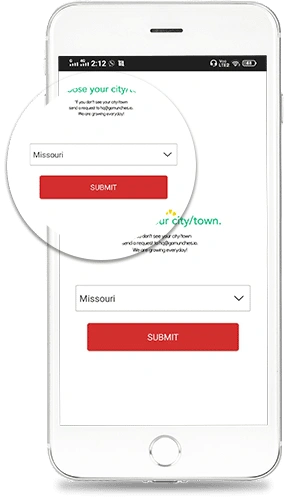
Your eCommerce store may be able to service customers in selective geographic areas. Store owners can choose their serviceable areas through the customer location-based restriction feature. Users can select any serviceable ZIP code from a dropdown menu and check out from their chosen location.
Compare Products
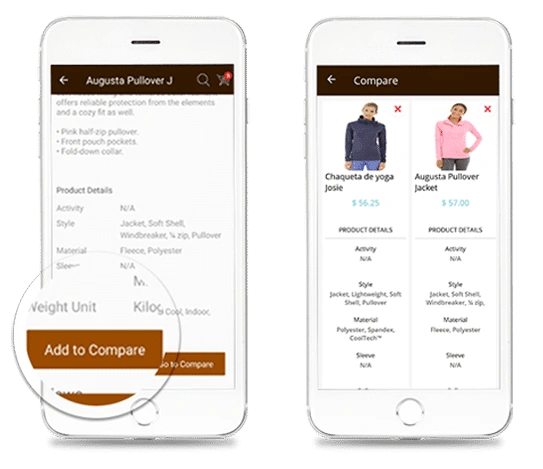
Make the purchase decision easier by comparing the products based on its price and features.Customers can easily make a purchase decision by comparing upto 4 products based on their price and features.
Pay for failed orders
Reorder your completed orders
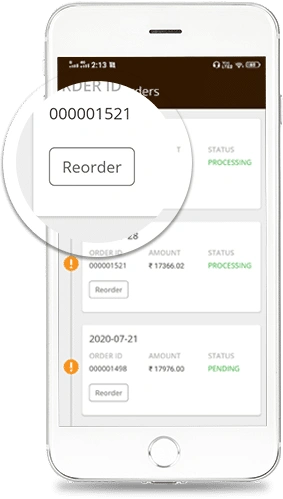
A good number of re-ordered products indicate happy customers returning to the store to order more. Customers who wish to reorder products need not build their cart from scratch. They can visit their order history and instantly reorder products from that.
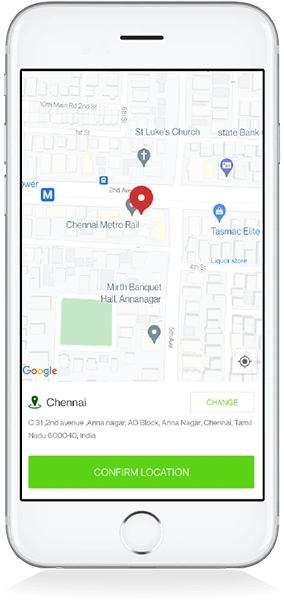
Location Geofencing
Why Location Controls and Product Comparison Matter for Your eCommerce App
A great shopping experience starts with showing customers only what they can actually buy and helping them choose with confidence. Elite mCommerce gives store owners control over where their app can serve orders, while giving customers simple tools to compare products, retry failed payments, and reorder their favorites in a few taps. Together, these features reduce friction, cut down on abandoned orders, and keep customers coming back.
Serve the Right Customers in the Right Locations
Not every store can deliver everywhere. With location-based restrictions and geofencing, you decide exactly which ZIP codes and delivery areas you serve. Customers know right away whether their address is within range, so they do not waste time building a cart they cannot check out. This also helps your team avoid undeliverable orders and plan deliveries more efficiently.
Help Customers Decide Faster
When shoppers are unsure, they often leave without buying. The product comparison feature lets customers place up to four products side by side and review price and features together. Clear comparisons build trust, shorten the time to decision, and help customers choose the product that truly fits their needs.
Recover Revenue from Failed Payments
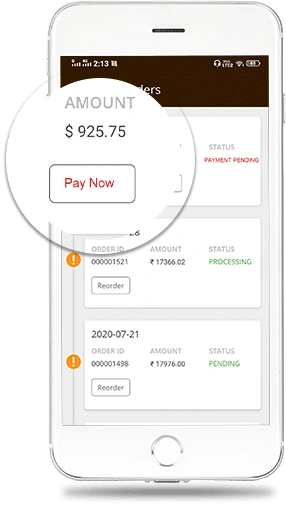
Payment failures happen for many reasons, and most are outside the store owner’s control. Instead of losing the sale, customers can pay for the same order again at their convenience. This simple second chance turns frustrating moments into completed purchases.
Make Repeat Purchases Effortless
Customers who like a product want to buy it again without hassle. By reordering directly from their order history, they skip building a new cart and check out much faster. Easy reordering encourages loyalty and increases repeat orders.
Frequently Asked Questions
Can I limit my app to specific delivery areas?
Yes. Store owners can choose serviceable areas using location-based restrictions, and customers select a serviceable ZIP code from a dropdown before checkout.
How does geofencing work?
Store admins set the delivery location on a map and define a service radius. Customers can check their location on the map to see whether they fall within the delivery range.
How many products can customers compare at once?
Customers can compare up to four products based on their price and features.
Can customers pay again if their payment fails?
Yes. Customers get another chance to pay for an order that could not be completed due to a payment failure.